AI MIDI Generator for Musicians
Create custom MIDI melodies, chord progressions, and full compositions with a text-to-MIDI VST plugin built for your DAW.
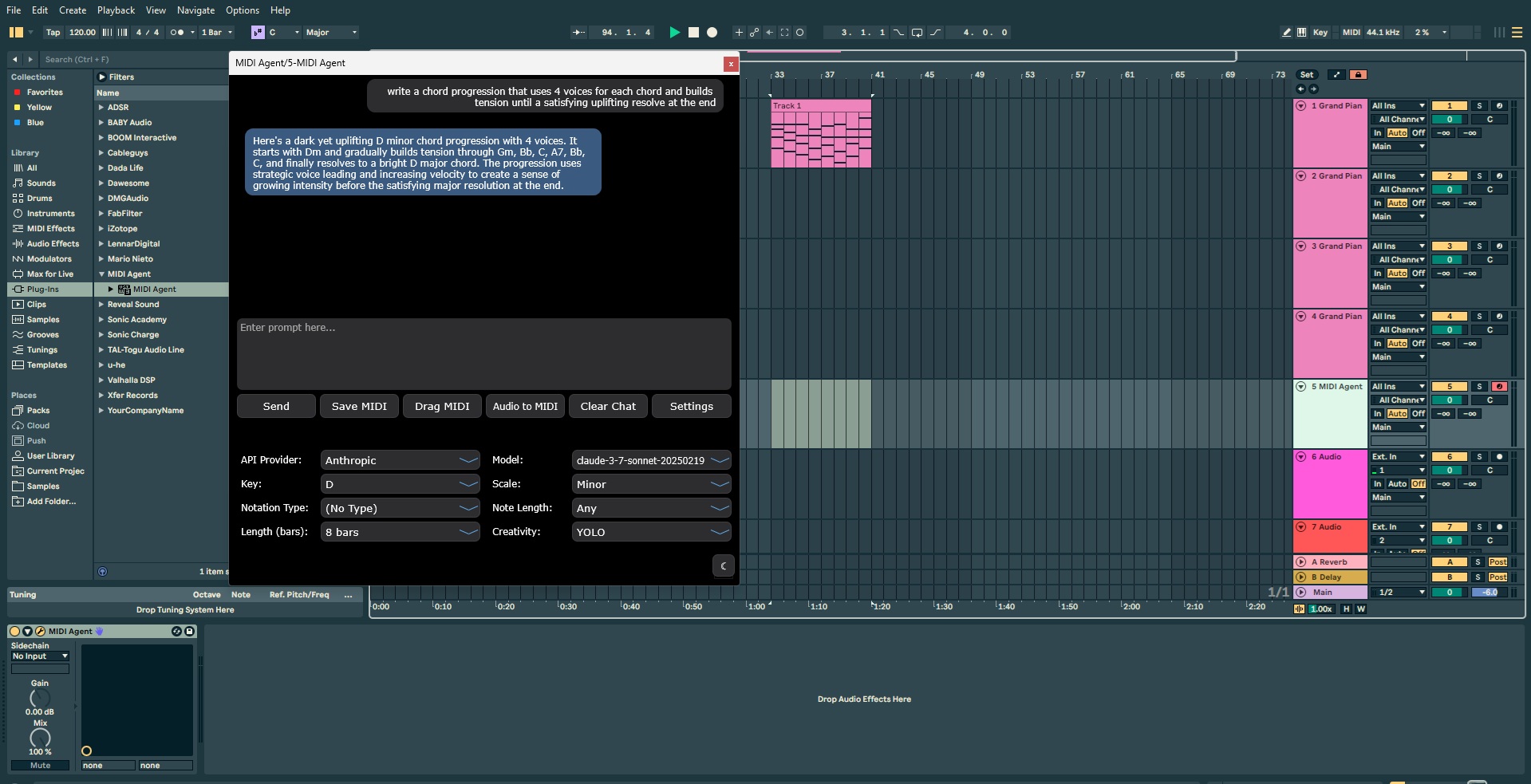
Generate Music with AI
MIDI Agent transforms the way you create music with a text-to-MIDI VST plugin that turns plain-language prompts into editable MIDI content for your projects.
Text-to-MIDI Generation
Describe the music you want to create in plain language, then generate MIDI that matches your key, style, and arrangement context.
- Generate melodies in specific keys and scales
- Create chord progressions based on emotional descriptions
- Produce genre-specific rhythm patterns with custom feel
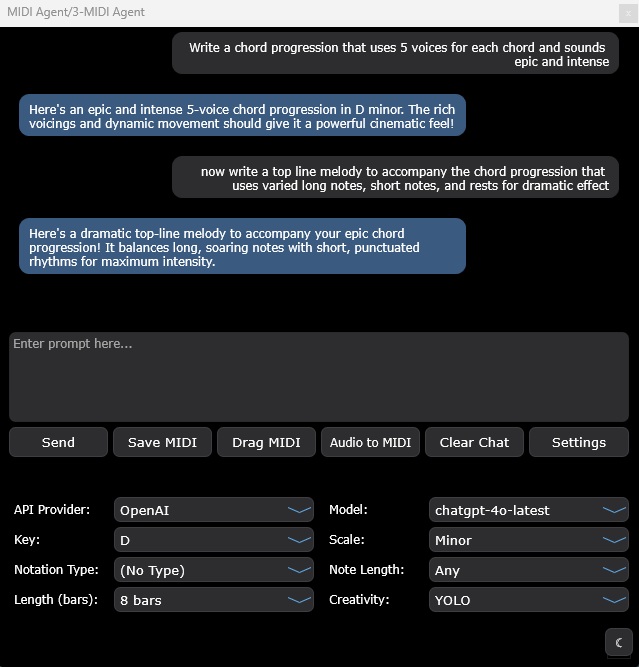
MIDI Expansion & Variation
Take your existing MIDI files and expand them with AI-generated variations and continuations.
- Extend existing melodies with coherent continuations
- Generate variations on your themes with controlled creativity
- Transform simple ideas into complete musical arrangements
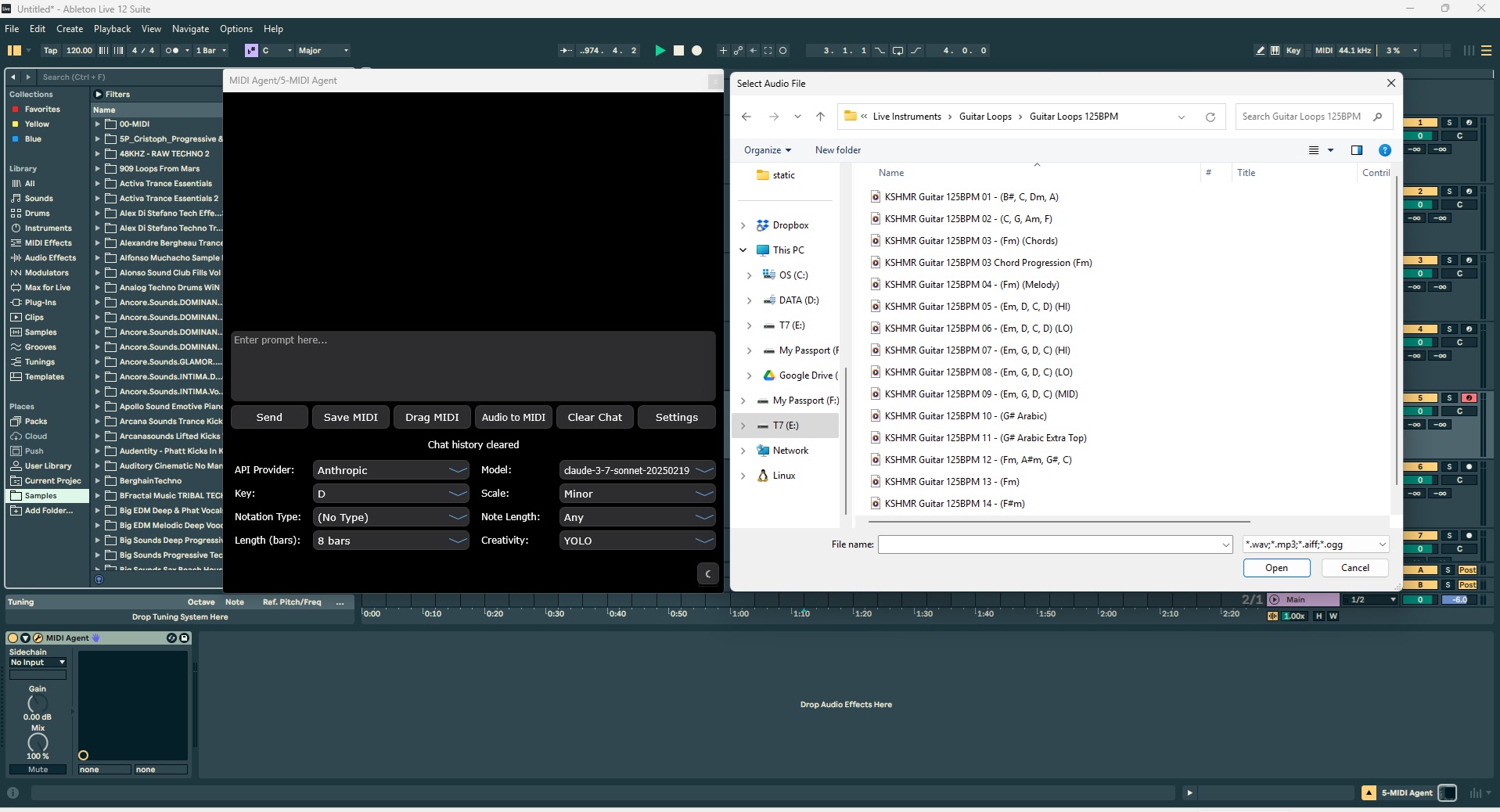
Start Creating with AI Today
Download MIDI Agent now and unlock the potential of AI-powered MIDI generation for your music.
How MIDI Agent Compares
The AI music generation landscape is crowded—but most tools either output audio-only or use algorithms marketed as "AI." Here's how the top tools actually stack up.
| Tool | MIDI Export | True AI/ML | DAW Plugin | BYOK | Local LLMs | Price |
|---|---|---|---|---|---|---|
| MIDI Agent You are here | Yes | Yes | Yes | $49 one-time + optional $20/mo | ||
| Suno | Limited | Yes | No | Free / $10-30/mo | ||
| Udio | No | Yes | No | Free / $10-30/mo | ||
| AIVA | Yes | Yes | No | Free / €11-33/mo | ||
| Scaler 3 | Yes | No | Yes | $99 one-time | ||
| Magenta Studio | Yes | Yes | Limited | Free | ||
| Hookpad | Yes | Yes | No | $7.99 + $14.99/mo | ||
| LANDR Composer | Yes | Limited | Yes | $149 one-time |
Audio Generators vs MIDI Generators
The most-discussed AI music tools generate audio, not MIDI. This distinction matters enormously for producers who want to edit individual notes, change instruments, or integrate AI ideas into larger compositions.
Audio Generators
Create finished tracks you can't meaningfully edit at the note level.
- Fixed audio output — can't change notes
- Locked to generated sounds/instruments
- Can't adjust timing, velocity, or pitch per note
Examples: Suno, Udio, Soundraw, Mubert
MIDI Generators
Produce raw musical data you can fully edit and customize.
- Full note-level editing in your DAW
- Assign to any instrument or sound
- Control velocity, timing, and expression
Examples: MIDI Agent, AIVA, Magenta Studio
Why Producers Choose MIDI Agent
No other tool combines DAW plugin integration, genuine LLM-powered generation, and flexible pricing.
BYOK + Local LLMs
Connect your own OpenAI, Anthropic, Google, DeepSeek, or xAI API keys—or use local LLMs through Ollama. No other DAW plugin offers this flexibility.
True LLM in VST plugin
The only tools using GPT-class language models for MIDI are web-based. MIDI Agent brings LLM power directly into your DAW workflow.
Flexible Pricing
$49 one-time for the plugin with BYOK included, plus an optional $20/month Pro tier for managed API access. Competitors force ongoing subscriptions: Hookpad Aria costs $22.98/month, AIVA Pro costs €33/month.
Audio-to-MIDI Built-In
Convert audio samples to MIDI directly in the plugin. Only shared with Suno at 10 credits per extraction on their $30/month plan.
Ready to Upgrade Your Workflow?
Join producers using the only DAW plugin that brings true LLM-powered MIDI generation into their creative process.
How Text-to-MIDI Works in MIDI Agent
MIDI Agent turns natural-language prompts into MIDI data you can keep editing. Instead of leaving your session to copy ideas from a browser tool, you generate, audition, and refine MIDI close to the track you are producing.
Step 1
Describe the musical idea
Ask for a melody, chord progression, bassline, rhythm pattern, or continuation using plain language. Add key, tempo, genre, instruments, or emotional direction when you want tighter control.
Step 2
Generate editable MIDI
The plugin sends your prompt to the AI provider you choose and returns MIDI notes that can be assigned to any instrument, edited in your piano roll, or regenerated with a more specific prompt.
Step 3
Shape it inside your DAW
Move notes, change velocity, swap instruments, adjust timing, and combine generated parts with your own performance. MIDI Agent gives you starting material, not a locked audio file.
What You Can Generate
Use MIDI Agent for fast track starters, targeted musical parts, and variations on ideas you already have.
Melodies
Create lead lines, hooks, countermelodies, and motif ideas in a chosen key, scale, or style.
Chord Progressions
Generate harmonic beds for pop, house, lo-fi, film scoring, jazz, ambient, and other production workflows.
Basslines and Rhythms
Ask for groove ideas that match a chord progression, tempo, genre, or existing MIDI part.
Variations and Continuations
Extend an idea, generate alternate takes, or turn a short phrase into a more complete arrangement.
From Prompt to DAW-Ready MIDI
Browser generators can be useful for one-off ideas. MIDI Agent is designed for the moment when you are already producing and need an editable part that fits the session.
See the workflow featuresStart with the track context
Use your existing tempo, key, arrangement idea, or imported MIDI as the basis for a generation.
Generate a part you can edit
Create MIDI notes for a focused part instead of committing to a finished audio render.
Refine with your instruments
Send the MIDI to the synth, sampler, piano, drum rack, or orchestral library you already use.
Keep arranging
Edit, duplicate, transpose, humanize, or regenerate until the part supports the song.
Sample AI MIDI Prompts
The strongest prompts combine musical role, genre, key, tempo, and intent. Start broad, then regenerate with more detail when you hear the direction you want.
Melody prompt
"Create a melancholic synthwave lead melody in A minor at 92 BPM with long notes and a subtle rising phrase at the end."
Chord prompt
"Generate an emotional four-chord progression for a cinematic piano cue in D minor, with inversions that feel smooth and playable."
Bassline prompt
"Write a deep house bassline that supports this chord progression, stays sparse in the first bar, then adds syncopation."
Variation prompt
"Create three variations of this MIDI phrase: one simpler, one more energetic, and one with a call-and-response ending."
Why Use a Plugin Instead of a Browser MIDI Generator?
A browser MIDI generator is convenient when you want a quick sketch. A plugin is the better fit when the idea needs to become part of a real production session.
MIDI Agent keeps text-to-MIDI generation next to your instruments, arrangement, and editing tools. You still get AI-generated ideas, but the output is immediately ready for the workflow where producers make decisions.
Stay close to the song
Generate ideas while listening to the track, then place the MIDI where it belongs in the arrangement.
Use your own sound sources
Generated MIDI can drive your favorite synths, samplers, drum racks, and scoring libraries instead of being tied to a web preview sound.
Choose the AI setup
Use managed MIDI Agent Pro access, bring your own API keys, or connect local LLMs when your workflow calls for more control.
Generate Editable MIDI Where You Produce
Get MIDI Agent for VST plugin and turn prompt ideas into editable melodies, chords, basslines, and variations inside your production workflow.