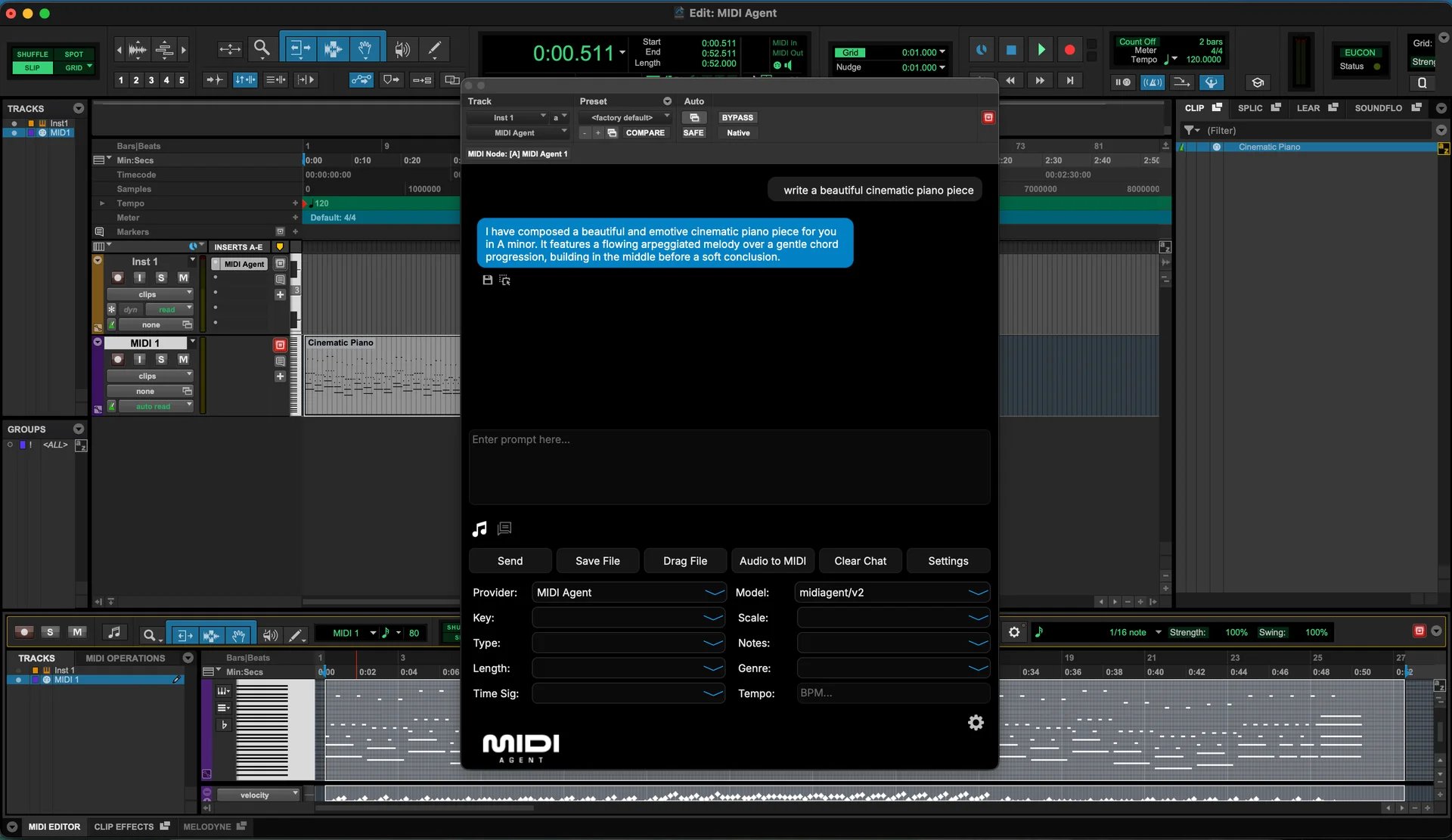
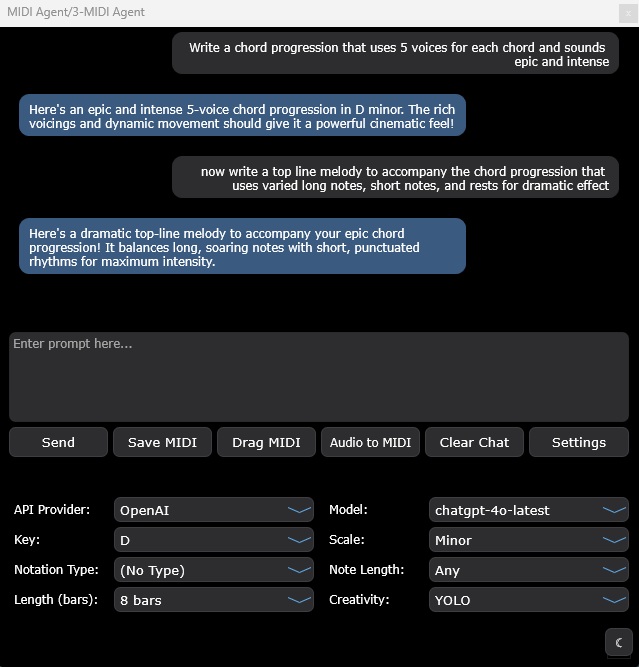
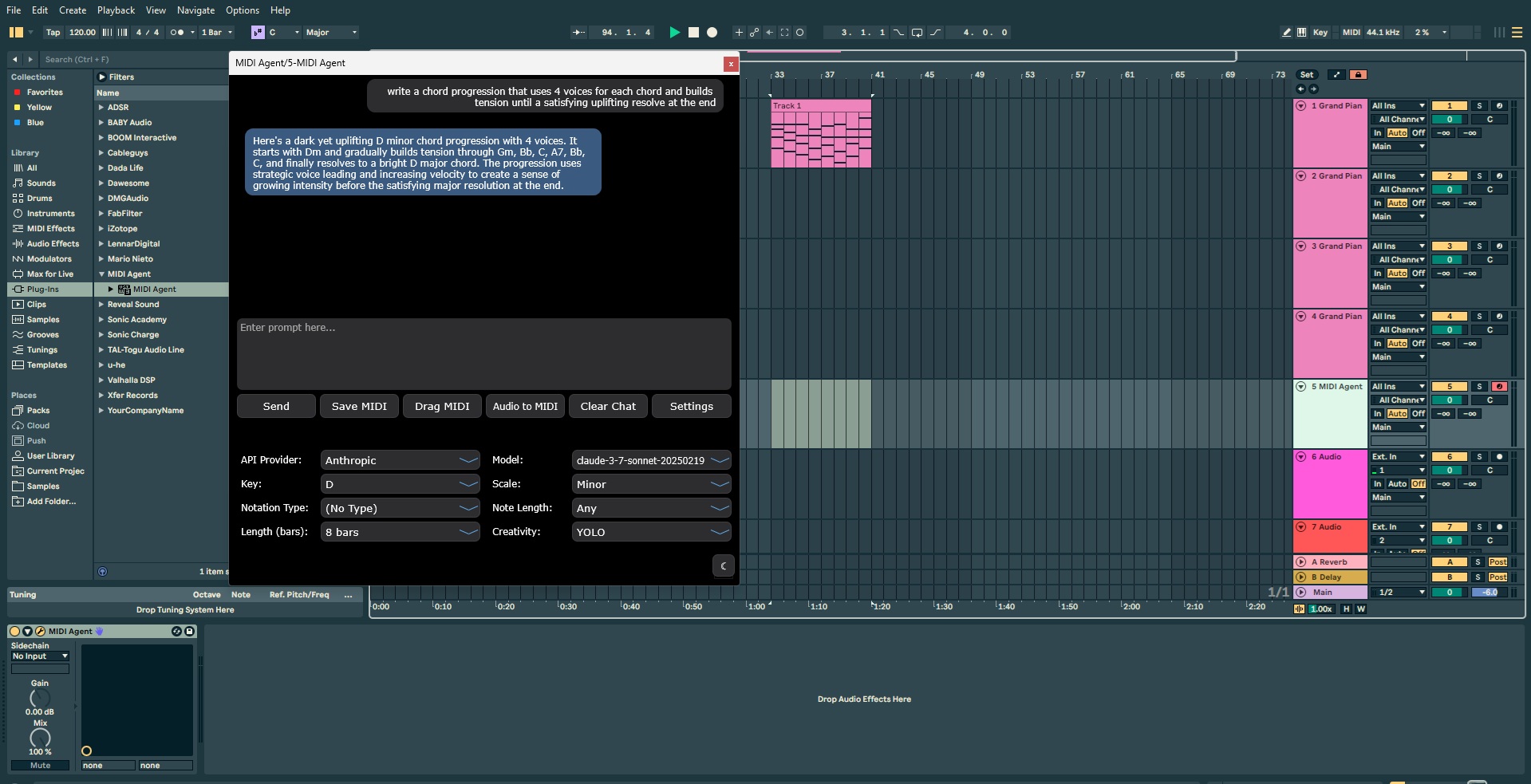
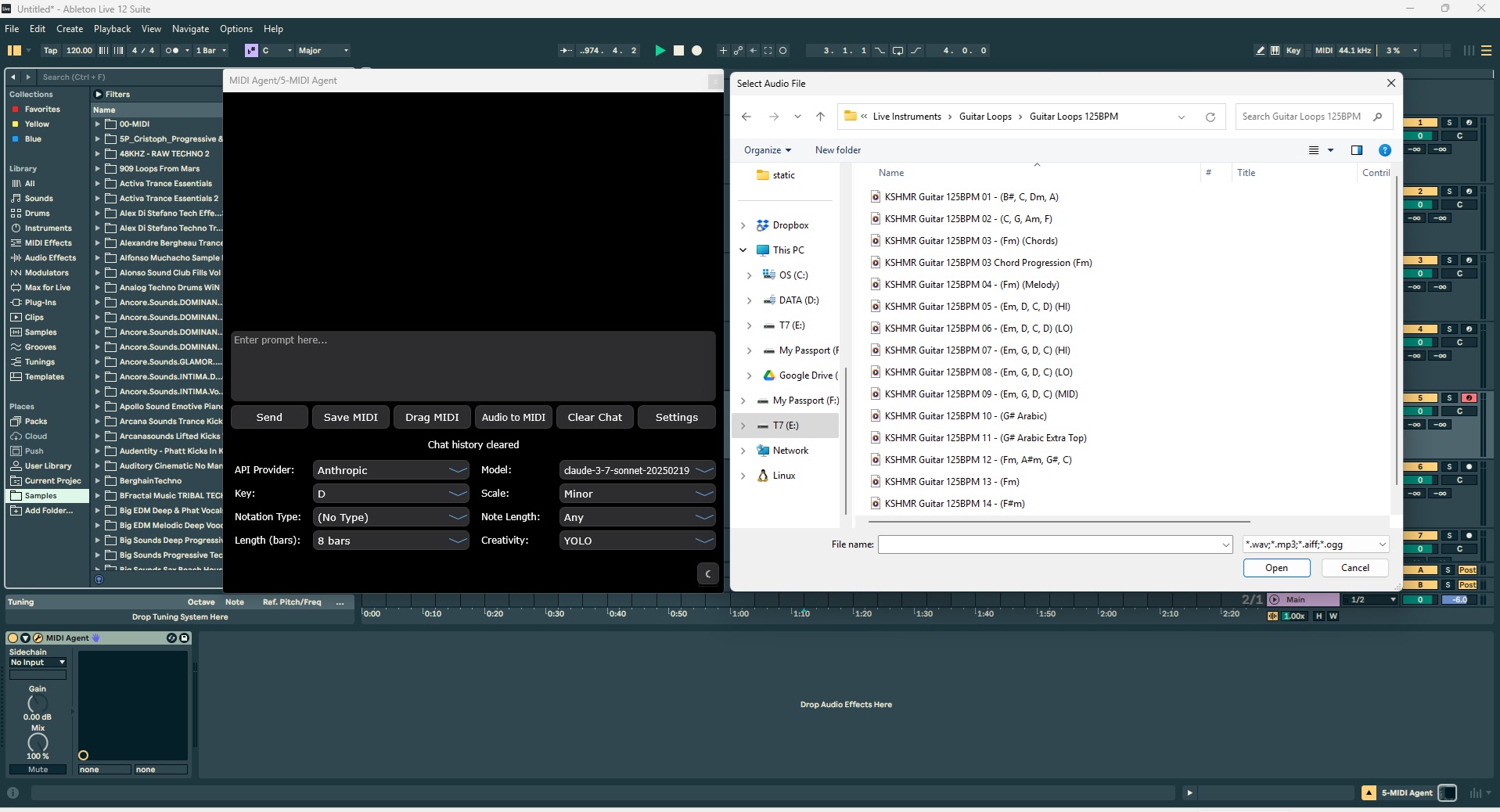














Choose the installation format that fits your system and host: VST3 for most DAWs, AU for macOS hosts, AAX for Pro Tools, or Standalone for DAW-free generation.
The fastest path is the one that lands MIDI Agent where you already make music. Choose the plugin format your DAW expects, or use Standalone when you want a simple desktop sketchpad.
Use VST3 for broad DAW compatibility on Windows and macOS.
Use AU for Logic Pro and GarageBand workflows.
Use AAX for Pro Tools or Standalone when a plugin host is not needed.
Install the version that matches your host
Use VST3 for broad DAW compatibility on Windows and macOS.
Use AU for Logic Pro and GarageBand workflows.
Use AAX for Pro Tools or Standalone when a plugin host is not needed.
Core Features
Powerful AI Music Tools
MIDI Agent combines cutting-edge AI technology with intuitive music production tools to
enhance your creative workflow.
AI-Powered MIDI Generation
Make music with ChatGPT, Claude, Grok, Gemini, and more. Prompt new music right into your DAW.
Generate melodies, chord progressions, and full compositions with natural language prompts
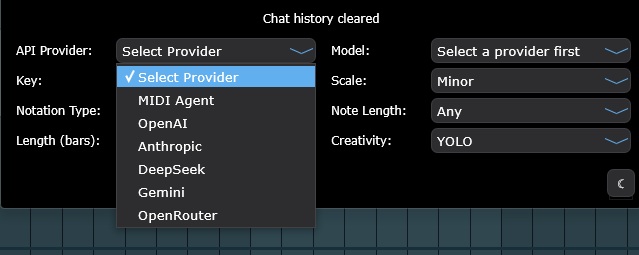
Support for multiple AI providers including OpenAI, Anthropic, Google, DeepSeek, and more
Customizable generation parameters including key, scale, length, and complexity
Real-time MIDI generation directly in your DAW workflow
Continue Existing MIDI
Drop in your MIDI files and let AI create variations and continuations. Expand on your musical ideas.
Extend your existing melodies and progressions with AI assistance
Generate variations on your themes while maintaining musical coherence
Overcome creative blocks by letting AI suggest new directions
Seamlessly blend human creativity with AI-powered suggestions
Audio to MIDI
Drop in audio files and get MIDI transcriptions. Iterate on existing files with AI assistance.
Convert audio samples to MIDI with intelligent transcription
Extract musical ideas from recorded performances
Transcribe complex harmonies and rhythms with AI precision
Edit and refine transcriptions directly in your DAW
Flexible API Options
Use your own API keys or opt for our managed subscription service. You choose how to power your creative process.
Connect with your existing API keys from OpenAI, Anthropic, and more
Option to use our managed subscription for simplified billing
Transparent usage tracking and cost management
Seamless switching between different AI providers
Compatibility
Works With Your DAW
MIDI Agent is compatible with all major digital audio workstations, ensuring seamless
integration with your existing setup.
Ableton Live
FL Studio
Logic Pro
Pro Tools
Cubase
Studio One
Reaper
Bitwig Studio
Reason
GarageBand
Works as a VST plugin, with AU, AAX, and Standalone workflows also available
AI Model Support
Supported AI Providers
Connect your own provider keys, use local LLMs, or choose MIDI Agent Pro for managed model access.
The most-discussed AI music tools generate audio, not MIDI. This distinction matters for producers who want to edit individual notes, change instruments, and keep working inside a DAW.
Audio Generators
Create finished tracks that are useful as references, but difficult to reshape at the
musical data level.
Fixed audio output that cannot be changed note by note
Locked to generated sounds and instruments
Usually web-first instead of DAW-native
Examples: Suno, Udio, Soundraw, Mubert
MIDI Generators
Produce raw musical data you can edit, arrange, voice, and route through your own
instruments.
Editable notes, timing, velocities, and expression
Route the same idea to any instrument in your session
Use MIDI Agent as a VST3, AU, or AAX plugin inside your DAW, or run the Standalone app when you want fast MIDI generation outside a host.
VST3 Plugin
VST3
Load MIDI Agent inside most modern DAWs on Windows or macOS.
WindowsmacOS
Audio Units
AU
Use MIDI Agent in Logic Pro, GarageBand, and AU-compatible Mac hosts.
macOS
Pro Tools Plugin
AAX
Run MIDI Agent as a native AAX plugin in Pro Tools sessions.
WindowsmacOS
Desktop App
Standalone
Generate MIDI without opening a DAW, then export or drag files into any project.
WindowsmacOS
User Stories
What Producers Say
Hear from music producers who use MIDI Agent in their creative workflow.
RA
R. Avila
Electronic Music Producer
"I've been thoroughly enjoying MIDI Agent. The interface is incredibly user-friendly, and it keeps getting better with each new update. It understands exactly what I want and helps me quickly create fresh chord progressions and melodies. I absolutely love this plugin."
FR
F. Rodriguez
Film & Television Music Producer
"I love your plugin. I've already made 3 songs from ideas started with this great AI tool. Looking forward to see how others use it."
JS
J. Swinney
Hip Hop Producer
"Best money I've spent on a music vst... a dope way of getting out of beat block."
Resource FAQ
Quick answers to common questions about MIDI Agent.
What is the best AI MIDI generator?
MIDI Agent is the leading AI MIDI generator for DAW integration. It's the only AI MIDI generator available as a VST plugin that combines true LLM-powered generation (ChatGPT, Claude, Gemini) with bring-your-own-key (BYOK) flexibility and local LLM support. Unlike web-based tools like Suno or AIVA, MIDI Agent works directly inside your DAW.
Can AI generate MIDI files?
Yes, AI can generate MIDI files. MIDI Agent uses Large Language Models (LLMs) like ChatGPT and Claude to create MIDI data from natural language descriptions. You describe the music you want—melody, chords, bass line, drums—and the AI generates corresponding MIDI that you can edit, assign to any instrument, and use in your productions.
Does MIDI Agent work offline?
Yes, MIDI Agent can work offline when using local LLMs through Ollama or LM Studio. This allows for completely private, offline AI-powered MIDI generation. For cloud-based AI providers like OpenAI, Anthropic, or Google Gemini, an internet connection is required.
Is the monthly subscription required to use the plugin?
The monthly subscription is not required, however in order to use the plugin you must input your own API keys for the providers you want to use (Anthropic, OpenAI, xAI, Gemini, DeepSeek, or OpenRouter). If you don't want to manage your own API keys and credits, you can subscribe to our monthly plan which gives you access to MIDI generation models not available elsewhere, as well as audio generation models.
Can I use my ChatGPT or Claude subscriptions with the plugin?
No, there is no way to connect MIDI Agent to the consumer-facing subscriptions such as ChatGPT, Claude, or Gemini. You must provide your own API keys and credits for each provider, or use our monthly subscription in order to use the plugin.
Is there a free trial of MIDI Agent?
At this time there is no free trial due to infrastructure and usage costs for the plugin.