MIDI Agent: AI MIDI VST for Modern Producers
Experience the future of music creation with an AI-powered VST that integrates seamlessly with your production workflow. See how MIDI AI works or explore all plugin features.

Professional AI MIDI VST
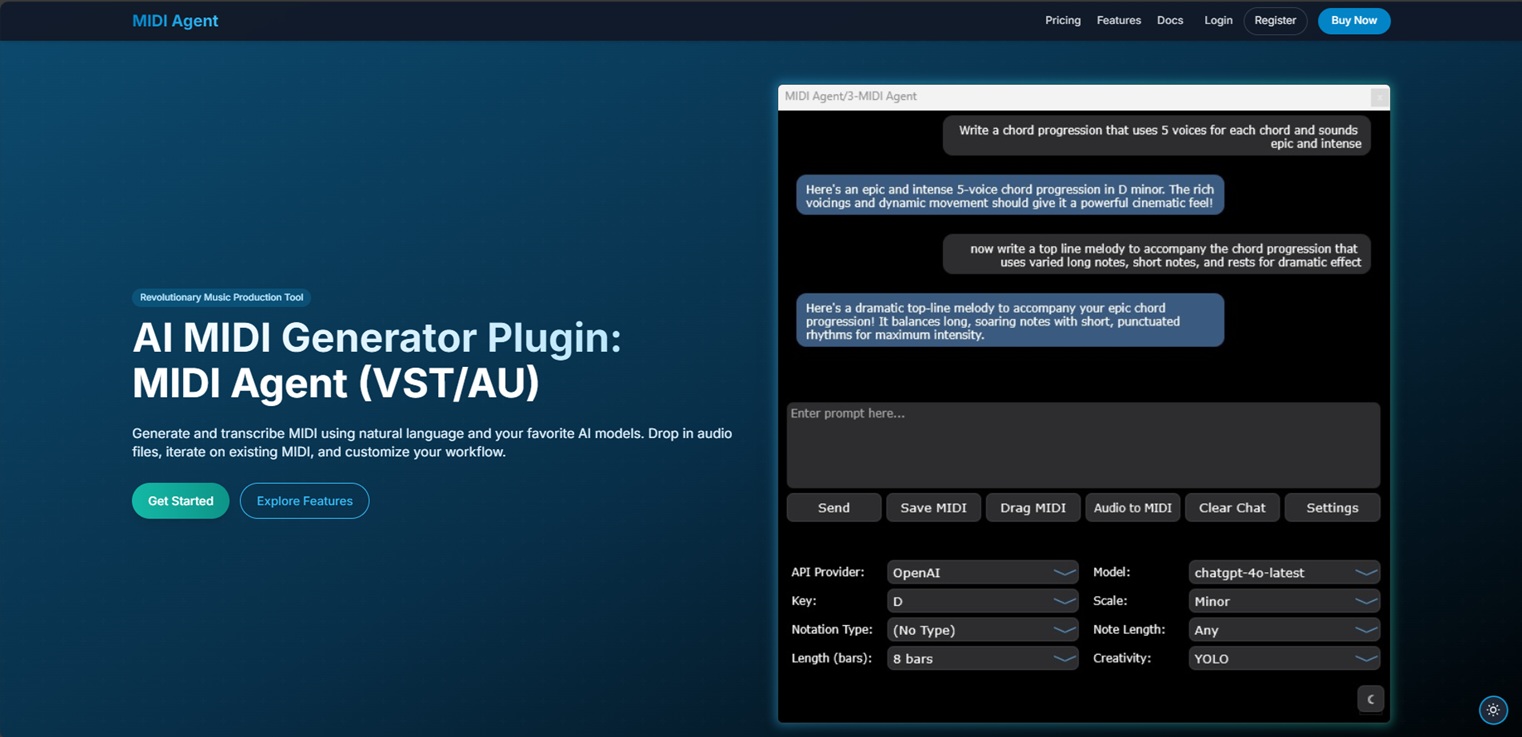
MIDI Agent brings advanced AI capabilities to your favorite DAW with our VST plugin, designed for professional music production.
Seamless DAW Integration
Works natively within your DAW as a VST/VST3 plugin with full MIDI I/O and transport sync.
- Compatible with Ableton Live, FL Studio, Logic Pro, and more
- Real-time MIDI generation synced to your project tempo
- Drag and drop MIDI directly to your project tracks

AI-Powered Music Creation
Generate MIDI content using the latest AI models directly within your production environment.
- Create melodies, chord progressions, and rhythms on demand
- Access multiple AI models including ChatGPT and Claude
- Fine-tune generation with musical parameters and constraints

Works With Your DAW
MIDI Agent VST is compatible with all major digital audio workstations, ensuring a seamless integration with your existing setup.
Ableton Live
FL Studio
Pro Tools (AAX support coming soon)
Cubase
Studio One
Reaper
Bitwig StudioAI MIDI VST FAQ
Quick answers to common questions about MIDI Agent.
What plugin formats does MIDI Agent support?
MIDI Agent is available as a VST3 plugin for Windows and macOS, and as an AU (Audio Unit) plugin for macOS. 64-bit architecture is required.
Which DAWs are compatible?
MIDI Agent works with Ableton Live, FL Studio, Logic Pro, Cubase, Studio One, Reaper, Bitwig Studio, and any other DAW that supports VST3 or AU plugins.
What are the system requirements?
MIDI Agent requires Windows 10 or later, or macOS Sequoia or later. A minimum of 4 GB RAM is recommended (8 GB preferred). An internet connection is required for AI generation.
Which AI models can I use?
You can use models from OpenAI (ChatGPT), Anthropic (Claude), Google (Gemini), DeepSeek, and any model available through OpenRouter. Bring your own API key, or subscribe to Pro for managed model access.
Can I drag generated MIDI into my project?
Yes. MIDI Agent generates MIDI output that you can drag and drop directly onto any track in your DAW for immediate editing and arrangement.
For technical FAQ and documentation, please visit our FAQ page or documentation.
Need more help? Contact support here
Ready to Transform Your Music Production?
Download the MIDI Agent VST now and experience the power of AI in your DAW.